
WordQuest
WordQuest: Vocabulary Builder · Android · Education
A LeeForge product · Coming soon
Your own vocabulary, drilled daily with spaced repetition. Works fully offline.
- No account
- Offline-first
- 10 interface languages
- CSV export
Inside WordQuest
Screens from the current build, as listed on Google Play.
- 01 / 04
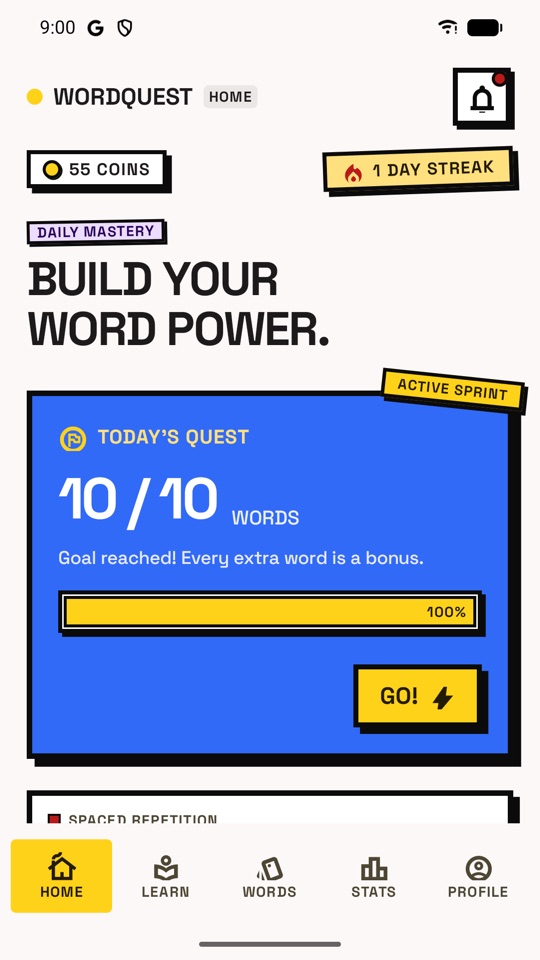
Today's quest
A daily goal and streak that reward showing up.
- 02 / 04
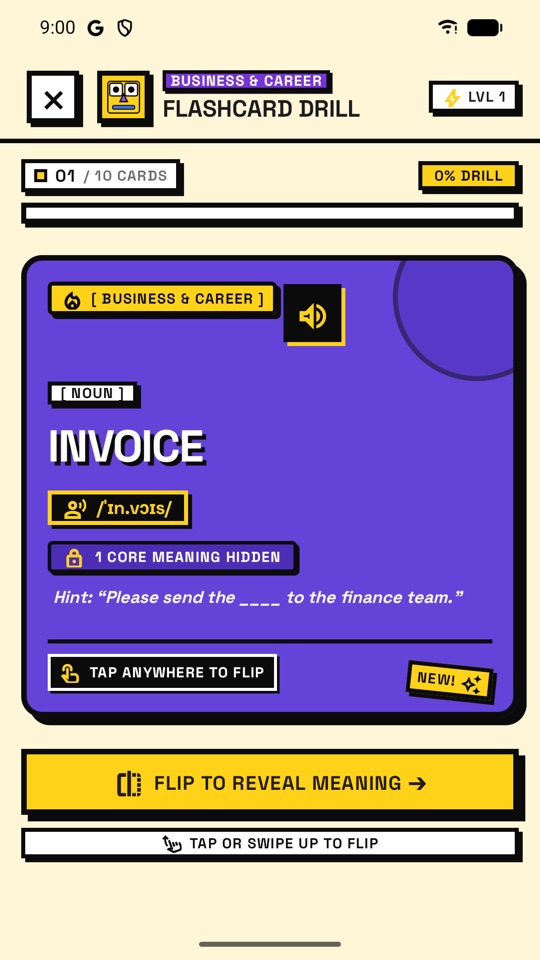
Flashcard review
Rate each card Again, Hard, Good or Easy and the schedule adapts.
 03 / 04
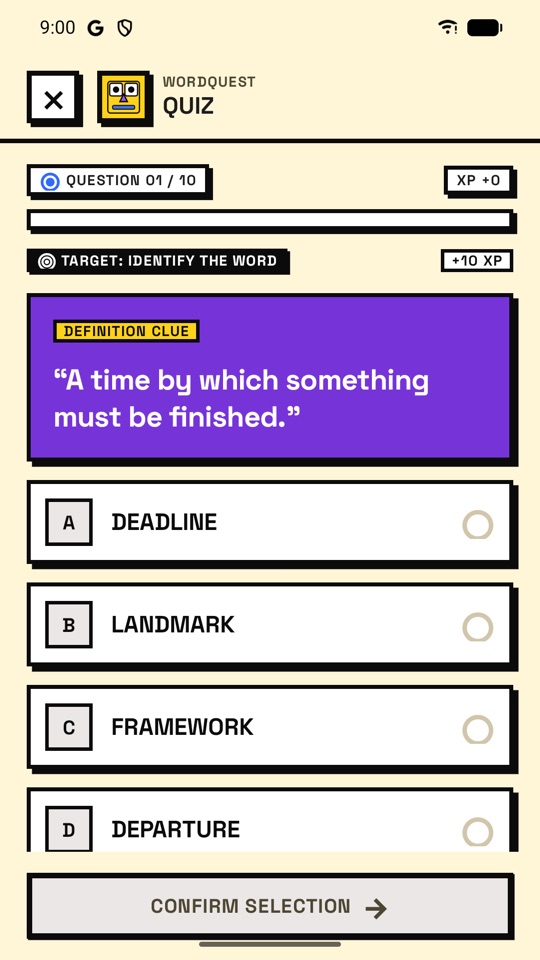
Quizzes from your words
Questions built from your own list, not a fixed question bank.
 04 / 04
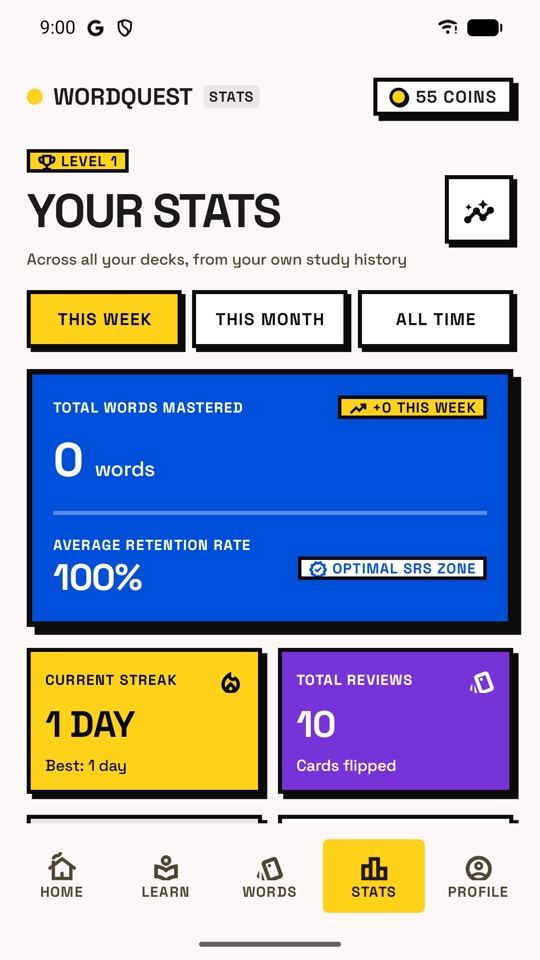
Statistics
Your week and month, and where every word stands.
Why we built WordQuest: your words, on your schedule.
WordQuest starts from the words you actually want to learn — from a book, an exam or a conversation — and builds your reviews and quizzes from that list, not from a fixed question bank.
Add a word once. WordQuest schedules it, brings it back just before you would have forgotten it, and pushes it further out every time you get it right.
Your library stays on your device
Words, decks, progress and settings are stored on your phone and nowhere else. We keep no copy — export a CSV whenever you want them elsewhere.
How it works
Android 8.0+- Your listAdd a wordMeaning, translation, pronunciation, example and notes — typed by hand or drafted with optional Smart Add.
- SM-2Review on scheduleSpaced repetition brings each word back just before you would forget it.
- ProgressWatch it stickStatistics show where every word stands: new, learning or mastered.
- Accounts required
- 0
- Interface languages
- 10
- Export anytime
- CSV
Built for learners who choose their own words
- 01
Spaced repetition
Built on a proven SM-2 schedule. Rate each card Again, Hard, Good or Easy and the schedule adapts to you.
- 02
Flashcards with pronunciation
Review with pronunciation read aloud by your device's own speech engine.
- 03
Quizzes from your words
Quizzes are built from your own word list, not a fixed question bank.
- 04
Decks and CSV export
Group words by exam, book or goal, and export them to CSV whenever you want them elsewhere.
- 05
Progress that rewards showing up
A daily goal, a streak, XP, levels, coins, achievements and a shop of themes to unlock.
- 06
Smart Add (optional)
Draft a meaning, translation and example with Google's Gemini, then edit before saving. Only the term you type is sent.
WordQuest in detail
- PACKAGE
- com.leeforge.wordquest
- PLATFORM
- Android 8.0+
- CATEGORY
- Education
- LANGUAGES
- 10 interface languages
- ACCOUNT
- Not required
- PRICE
- Free · ad-supported
- AUDIENCE
- 18 and over
- Interface languages · 10
- English · Vietnamese · Spanish · Portuguese (Brazil) · French · German · Japanese · Korean · Simplified Chinese · Indonesian
Need help with WordQuest?
Questions, bugs and ideas all go to the same inbox and are read by the people who build the app.
- Email a bug report
Report a problem
Include what you did, what happened, your device model and Android version so we can reproduce it.
- Send feedback
Suggest an idea
Tell us what would make WordQuest more useful for you.
Privacy & data handling
Summary of the WordQuest privacy policy- STORED ON YOUR DEVICE
Your words, decks, progress and settings never leave your phone. No account, no sign-in, no analytics.
- ADS ON PASSIVE SCREENS ONLY
WordQuest is free and supported by Google AdMob ads — never on a flashcard, during a quiz or while you type.
- SMART ADD IS OPTIONAL
Only the term you type is sent to Google's Gemini, and only when you tap Generate. Not available in the EEA, UK or Switzerland.